As travelers increasingly turn to generative AI to plan their trips, it is no longer enough to simply know if your brand is being recommended; you need to know who the AI is recommending your brand to. This is where customer segments (also referred to as traveler types or traveler segments) come into play within the Bonafide platform.
What Are Standard Customer Segments?
Customer segments are specific classifications of traveler demographics used to categorize, filter, and analyze how well your brand is represented in AI recommendations.
By default, the Bonafide platform comes pre-programmed with 12 standard customer segments or traveler types. These include common demographics such as:
- Bleisure Traveler: These travelers combine business trips with leisure activities, often extending their stay to enjoy the destination.
- Budget Traveler: These travelers prioritize affordability and often seek basic accommodations without luxury amenities. They are price-sensitive and look for the best value for their money.
- Business Traveler: These travelers travel for work-related purposes. They value efficiency, connectivity, and facilities that support their business needs, like conference rooms and high-speed internet.
- Couple: These travelers are pairs traveling together, often seeking romantic or quality shared experiences. This segment includes honeymooners, partners celebrating anniversaries or special occasions, or simply couples looking for a getaway.
- Family Traveler: These travelers travel with their family. Families traveling with children have specific needs, such as family-friendly rooms, amenities like pools or playgrounds, and services like babysitting or children’s activities.
- Generic Travelers: A baseline or average traveler profile used to gauge a brand's overall AI performance and visibility without applying any specific niche filters
- Group Traveler: These travelers include groups traveling together, such as tour groups, families, and friends. They may require group booking discounts and amenities that cater to multiple people.
- Leisure Traveler: These travelers are traveling for pleasure and relaxation. They often seek experiences, local attractions, and amenities that enhance their vacation.
- Long-stay Traveler: These travelers stay for extended periods, often for work assignments, relocation, or long vacations. They might prefer hotels with kitchenettes, laundry facilities, and a homelike atmosphere.
- Luxury Traveler: These travelers are willing to pay a premium for high-end services, exclusive experiences, and luxurious amenities.
- Senior: These travelers are older guests who may have specific accessibility needs and prefer comfortable, convenient, and safe accommodations. They might also value guided tours and leisure activities suitable for their age group.
- Solo Traveler: These travelers travel alone, valuing independence and flexibility. They might seek safe, friendly environments and opportunities to socialize with other guests.
How Are Customer Segments or Traveler Types Used in Detail?
Customer segments are utilized to provide granular, actionable insights rather than a single, ambiguous score. Here is exactly how the platform uses them:
- Targeted AI Interrogation: When Bonafide gathers data, it doesn't just ask the AI general questions. It specifically interrogates the Large Language Models (LLMs) against these distinct customer segments to see how the AI's recommendations change based on the traveler type.
- Strategic Planning and Identifying Gaps: By breaking down performance scores by traveler type, your brand can understand its specific strengths and weaknesses. For example, if a high-end property like a Four Seasons hotel scores poorly for "budget travelers," that makes perfect sense and is not a concern. However, if they score below average for "luxury travelers," it immediately highlights a critical data gap that requires optimization.
- Discovering New Market Opportunities: Conversely, segments can reveal hidden wins. If your brand unexpectedly performs exceptionally well with "bleisure travelers" or "family travelers," it highlights a highly visible new market opportunity that you can capitalize on.
- Calculating Mean Scores: Your brand's overall top-line scores are averages calculated across the customer segments you have selected. If you modify the filters to only view one or two specific segments, the overall average scores will instantly recalculate to reflect only those demographics.
Where Are Customer Segments Located?
Customer segments are managed and accessed in two primary locations, depending on your phase in the Bonafide process:
- The Client Onboarding Sheet: During the initial setup phase, your segments are managed in a shared Google Sheet. Specifically, they are located on the property level tab. Here, the default segments are pre-filled, and your team can verify them or submit your custom segments.
- The Platform Dashboard: When you are actively using the Bonafide platform to view your data, customer segments are located in the global filters at the top of the screen.
Which Modules Utilize Customer Segments?
It is important to note that customer segments do not apply to every single metric in the platform. Because segments are used to measure how you stack up against competitors for specific types of guests, they are specifically available and used to filter scores in the following three modules:
- Performance: Measures how often you appear in the top five AI recommendations for specific traveler types.
- Bias: Compares your traditional search ranking against your generative AI ranking for specific traveler types.
- Perception: Measures the AI's synthesized opinions and preferences about your brand compared to peers, which can shift based on the customer segment.
(Note: Modules like Accuracy and Visibility are strictly focused on whether the AI knows the factual details about your destination or property as a whole, so they are not filtered by comparative customer segments).
EDITING, CHANGING, ADDING CUSTOM CUSTOMER OR TRAVELER SEGMENTS
-
ADD Customer Segments
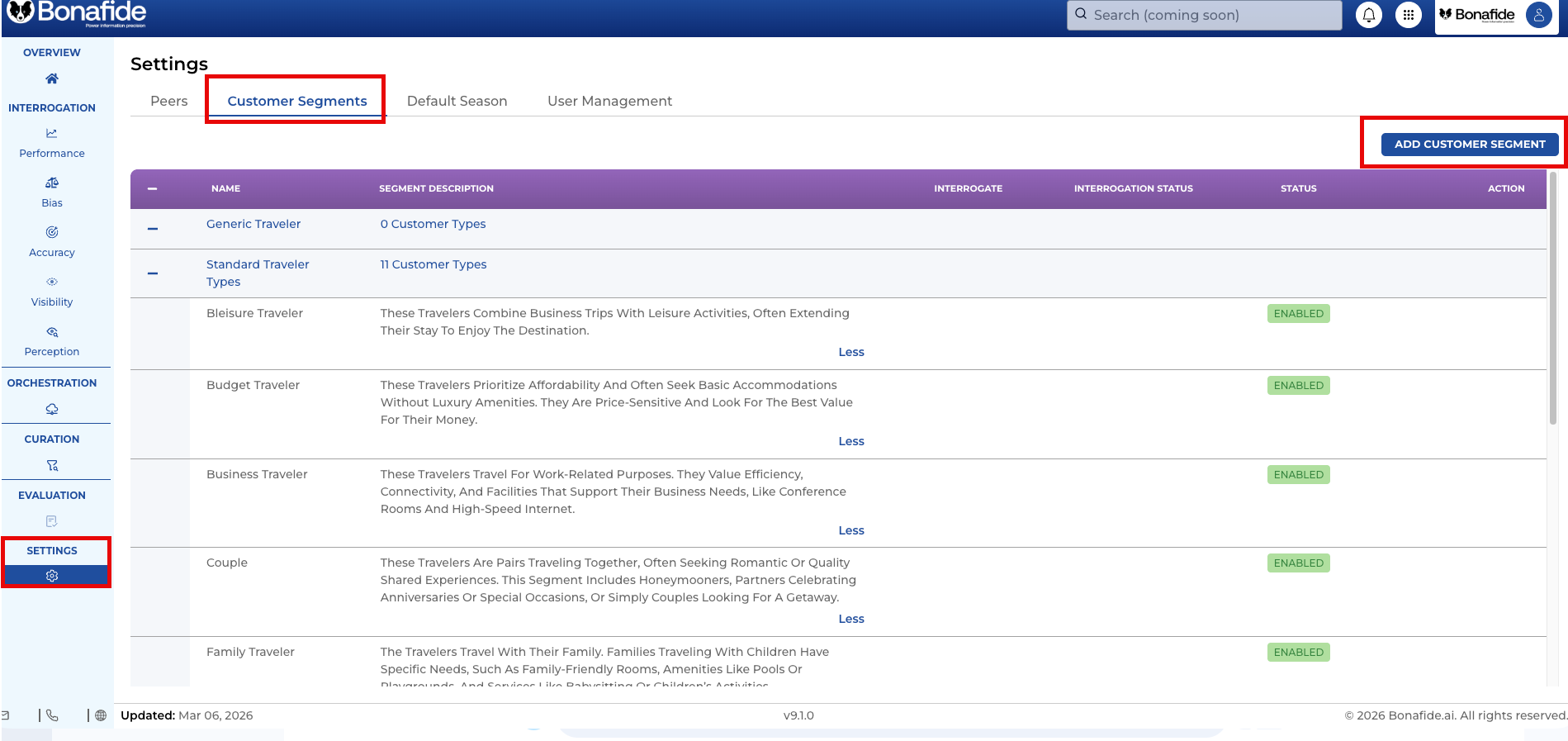
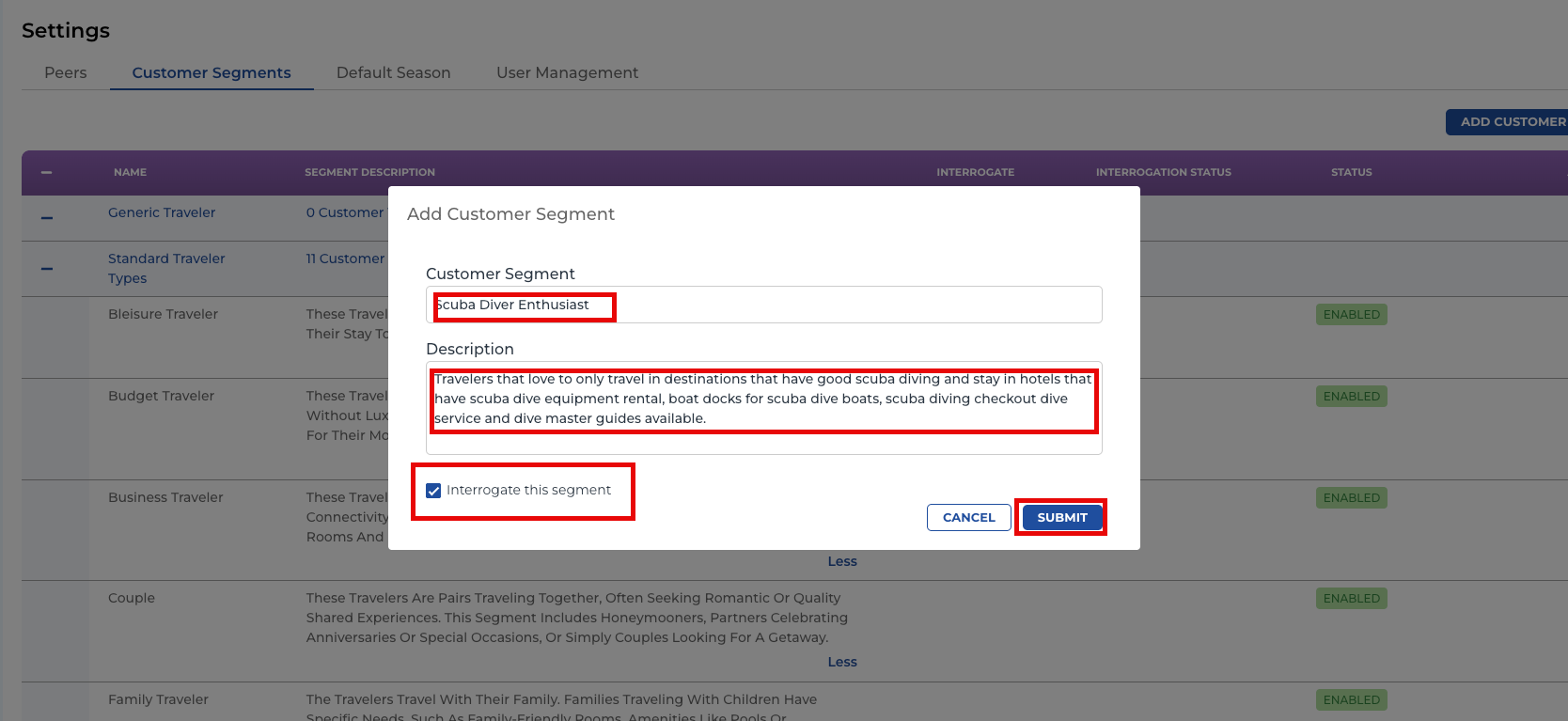
Add Customer Segment Name, Description and Click on SUBMIT.
Note: Interrogate this Segment is default as On meaning after SUBMIT, the platform will interrogate the LLMs and the scores for this segment will appear in the platform within 60 minutes of processing.
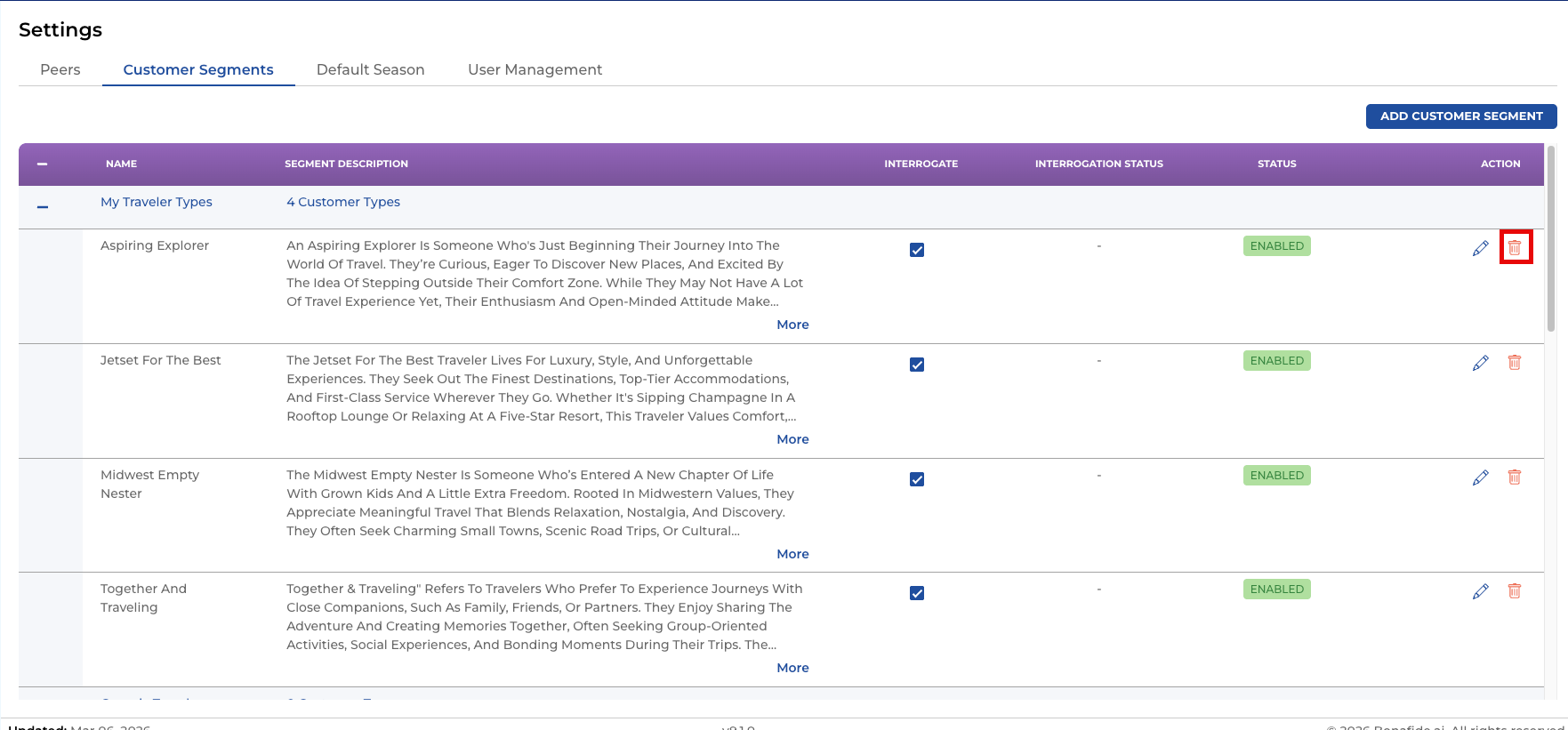
DELETING OR EDITING CUSTOMER SEGMENTS
CLICKING ON the TRASH ICON will DELETE the Customer Segment from your instance. Note that once deleted, you will not be able to recover that segment and therefore must be added again.
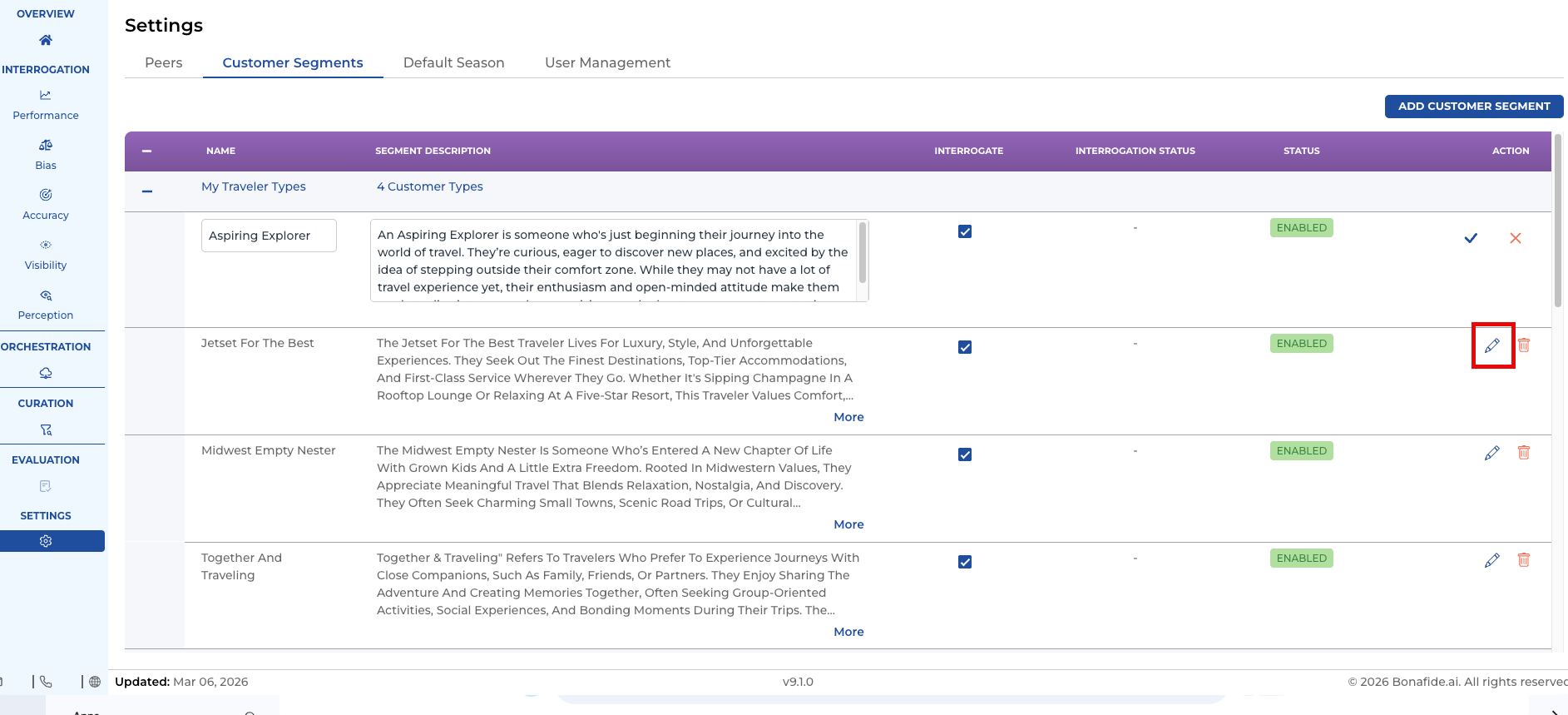
EDIT Customer Segments by clicking on the PENCIL ICON and simply re-writing the name and segment description.