
STEP 1: LOGIN to app.bonafide.ai
STEP 2: GO TO ORCHESTRATION MODULE
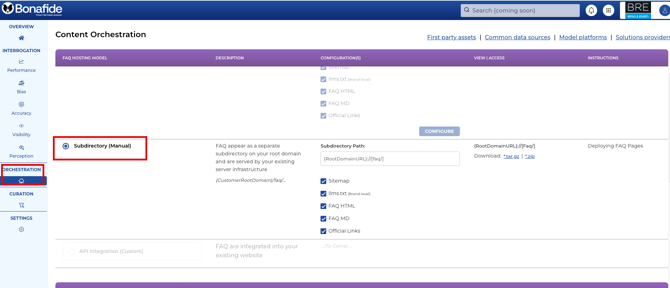
STEP 3: ENSURE ALL ASSETS are CHECKED
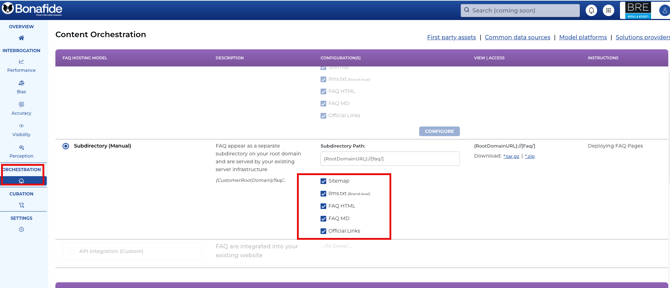
STEP 4: DOWNLOAD THE KNOWLEDGE BASE ASSETS
-
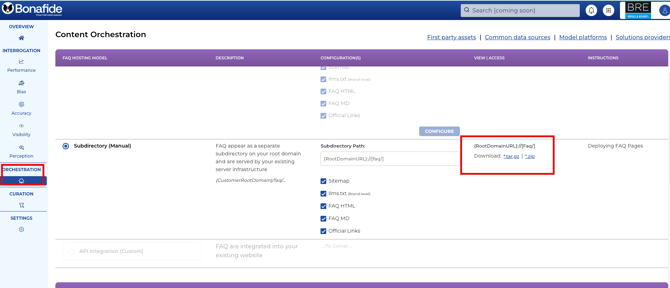
Click on the Download Link
-
The FAQ Package files should download to your local drive folder as faq.tar.gz file
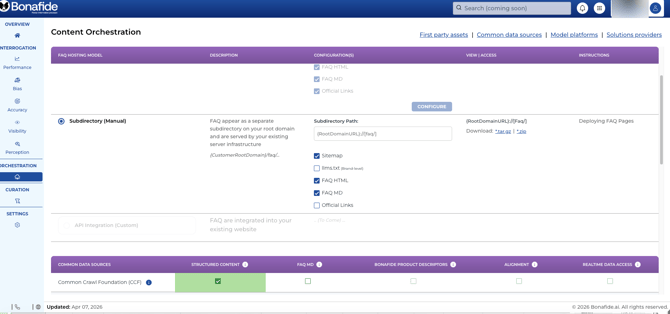
NOTE: You can uncheck any of the file formats or official links you don't want to include in the FAQ Package
In this example, this brand doesn't want Official Links or the LLMS.TXT to be part of the FAQ Packages
STEP 5: Assure you have the deployment instructions
Download the latest Deployment Instructions
STEP 6: DEPLOY the FAQ Package
If this is the first time deploying the FAQ Package, follow the Deployment Instructions
If you have previously deployed an FAQ Package in the past, replace the previous package with this new one.
Automated Orchestration via Subdomain
No need to have your web development team orchestrate the file. Set up automated orchestration now.
See Related Article:
Making Your Content AI Ready: A Guide to How AI Can Find Your New Knowledge Base